Generate professional images, transform sketches into photorealistic renders, and create AI
videos — all locally on your Intel AI PC, at zero cost.
Part 1: Key Concepts
What is a Diffusion Model?
Diffusion models start with random noise and gradually refine it into a coherent
image through ~50 "denoising" steps, guided by your text prompt. Think of it like sculpting —
starting with a rough block and carving details with each pass.
Key takeaway: The entire model runs on your GPU/NPU. No
cloud API. No per-image fees. Unlimited generations.
Text-to-Image vs Image-to-Image
Text-to-Image: You describe what you want in words and the AI creates it from
scratch. Great for product shots, concept art, and marketing visuals.
Image-to-Image (Img2Img): You upload a reference image
(sketch, photo) and the AI transforms it while keeping the original structure. Perfect for
converting sketches into photorealistic renders.
AI Video Generation
Same principle as image generation, but extended to create short 4-second
video clips. Describe a scene, and the AI generates a video with motion, lighting, and camera
angles. Ideal for product reveals, social media content, and concept videos.
Part 2: The Anatomy of a Perfect Prompt
The quality of your output is directly proportional to the quality of your prompt. Follow this formula:
📦 Subject
→
🏠 Setting
→
💡 Lighting
→
🎨 Style
→
✨ Quality
Pro Tip: Always include a negative prompt to tell the AI what to
avoid: "blurry, low quality, watermark, text, distorted, extra fingers"
Part 3: Lab 1 — Text → Image (Product Photography)
The Mission
You're launching a new product on Amazon India. You need 3 professional product shots. Budget: ₹0. Time:
5 minutes.
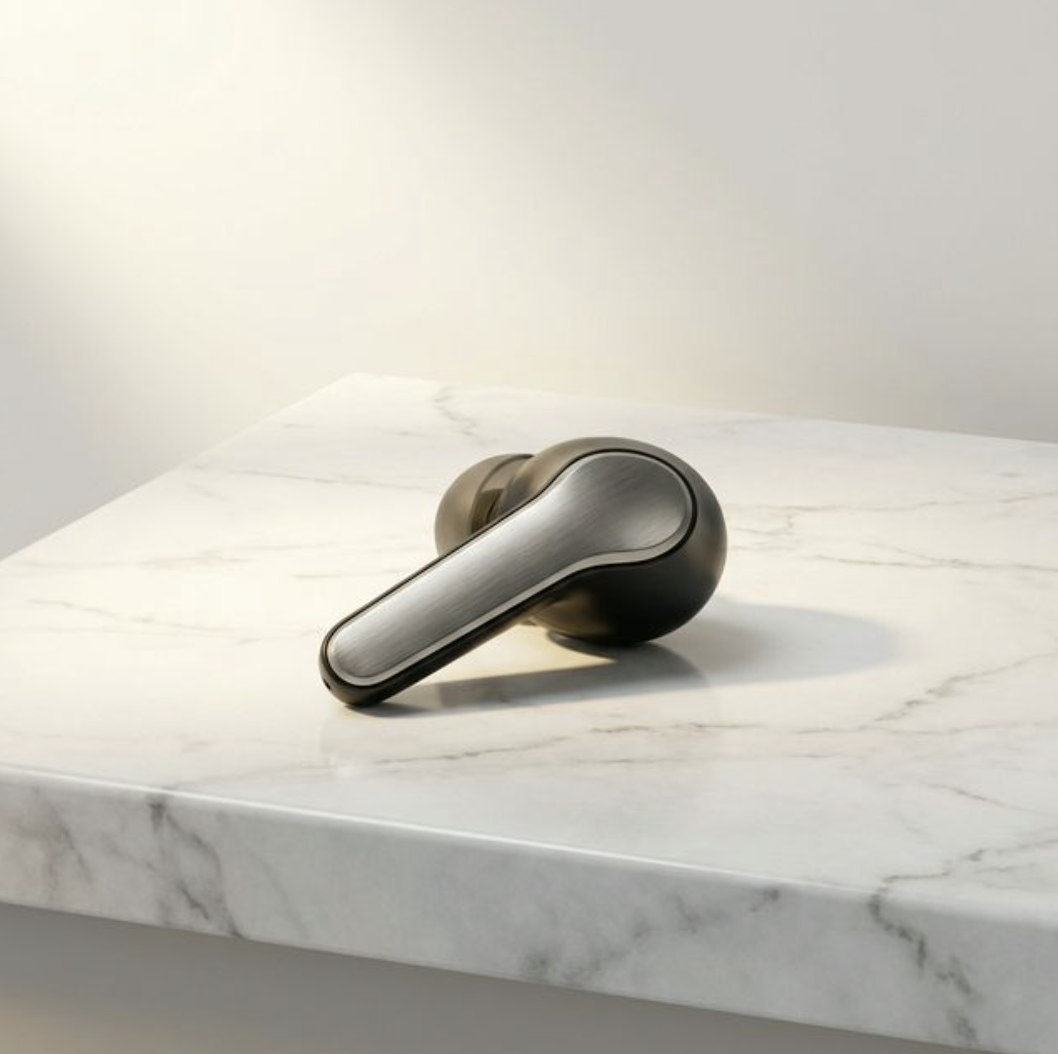
Example: AI-generated product photography — created entirely on an AI PC
Shot 1 — Hero Image
Goal: The main product listing photo.
Premium wireless earbuds on white marble surface, soft studio
lighting, subtle shadow, e-commerce product photography, Apple style, 4K, ultra detailed, professional
Shot 2 — Lifestyle Shot
Goal: Show the product in use.
Person wearing wireless earbuds while jogging in a park, morning
golden hour sunlight, bokeh background, fitness lifestyle photography, energetic mood, 4K
Shot 3 — Close-up Detail
Goal: Highlight build quality.
Extreme close-up of premium wireless earbuds showing texture and
build quality, macro photography, studio lighting, dark background, reflections, 8K detail
Negative Prompt (use for all)
blurry, low quality, watermark, text, bad anatomy, distorted, extra
objects, dark, gloomy, jpeg artifacts
ModelStable Diffusion XL
Steps25-30 recommended
Resolution1024 × 1024
Guidance Scale7.0 (default)
Part 4: Lab 2 — Sketch → Reality (Architecture Render)
The Mission
A client has sent a rough napkin sketch of a living room. They want to see 3 style variations (Modern,
Scandinavian, Industrial) before committing to a ₹15 Lakh renovation. You have 10 minutes.
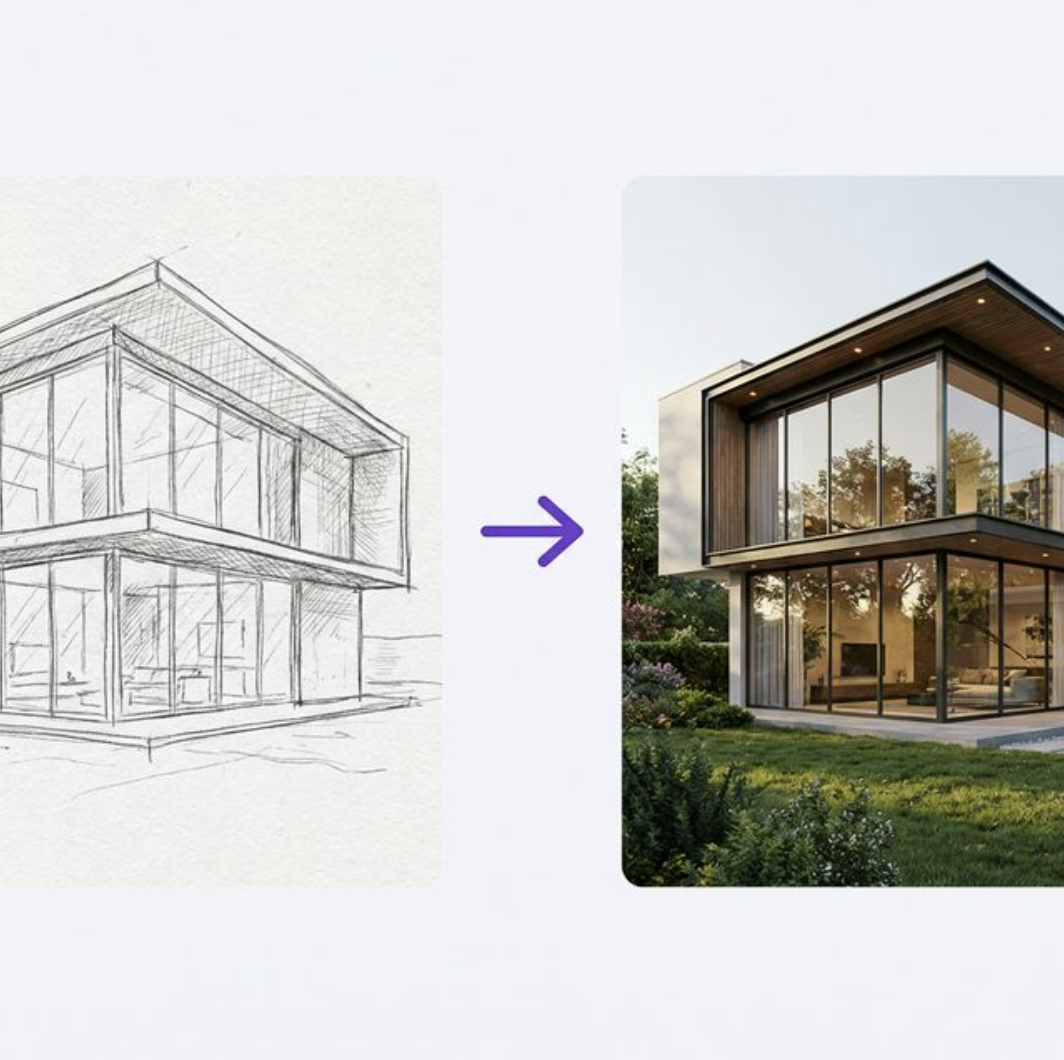
Example: Hand-drawn sketch transformed into a photorealistic interior render
How to switch: In AI Playground, change the mode to "Image to Image"
and upload your sketch file (JPG/PNG).
Level 1: Modern Minimalist
Goal: Clean contemporary design.
Transform this living room sketch into a photorealistic modern
minimalist interior, natural lighting through large windows, premium furniture, light wooden flooring, white
walls, indoor plants, architectural visualization, 4K
Level 2: Scandinavian Hygge
Goal: Warm Nordic atmosphere.
Transform this living room sketch into a cozy Scandinavian
interior, warm wood tones, soft textured throws, sheepskin rug, pendant lighting, hygge atmosphere, muted
earth tones, architectural photography, 4K
Negative Prompt
text, watermark, bad anatomy, distorted perspective, extra
furniture, dark, gloomy, low quality, jpeg artifacts, blur
Strength slider explained: Lower values (0.3–0.5) keep the image closer to your
original sketch. Higher values (0.7–0.9) give the AI more creative freedom. Start at
0.7 and adjust.
Part 5: Lab 3 — AI Video Generation
The Mission
Create a 4-second product reveal video for a social media campaign. No camera crew, no editing software,
no budget.
Video Prompt 1 — Car Showroom
Smooth camera orbit around a luxury sports car in a dark showroom,
dramatic spotlight lighting, reflections on polished floor, cinematic, commercial quality
Video Prompt 2 — Coffee Commercial
Coffee being poured into a premium ceramic cup, steam rising
elegantly, slow motion, warm cafe lighting with bokeh, commercial quality, cozy atmosphere
Video Prompt 3 — Product Reveal
Product reveal: modern smartphone emerging from elegant white
packaging, subtle light effects, clean white background, tech commercial style, Apple aesthetic
Note: Video generation takes longer than image generation (~2-5 minutes per clip). The
output is a 4-second video clip. For longer videos, generate multiple clips and stitch them together.
Part 6: Bonus Prompt Library
🏠 Architecture Exterior
Transform this house sketch into a photorealistic modern villa,
glass facades, infinity pool, landscaped garden, golden hour lighting, 8K architectural visualization
💅 Beauty Product
Luxury perfume bottle on reflective black surface, dramatic studio
lighting, smoke effects, premium advertisement aesthetic, dark moody background, 4K
Indian ethnic wear, elegant lehenga on mannequin, rich embroidery
details, soft studio lighting, e-commerce product photography, white background, 4K
What you achieved today: You generated unlimited professional images, transformed
rough sketches into photorealistic renders, and created AI video clips — all locally on your AI PC with
zero cloud costs and complete privacy.